
Windows 8 Milestone 1, 2, 3, 4
 Windows 8 Milestones Here are details of significant developments for Windows 8. Guy last added material on Microsoft Windows 8 Milestones Microsoft Windows 8 Milestones Explanations of Version and Build Numbers Windows 8 Milestones – Guestimates Windows 8 Versions ♦ Microsoft Windows 8 Milestones As soon as Window 7 was …
 Microsoft Windows 8 New UI (Metro UI) On its own, the new interface is just the frivolous front-end to an upgrade of the Windows 7 operating system. What makes the Windows 8 Metro-style interface compulsive are the hundreds of Apps produced by scores of developers; as a result there will …
 Windows 8 Search for Files Here are techniques for mastering the ‘Search Results’ box in Windows 8, and thus finding your files more easily. Searching for Windows 8 Files Windows 8 Advanced Query Syntax Windows 8 Search Dialog Box Windows 8 Indexing Options Windows 8 Search Keyboard Shortcuts Windows 8 …
 Windows 8 Install and Boot Settings Here is a reference page covering all the important Windows 8 install and boot topics. Windows 8 Install and Boot Topics Windows 8 BCDEdit Windows 8 Install Windows 8.1 Install Windows 8 Boot Windows 8 Dual Boot Windows 8 ‘To Go’ Bootable USB Windows …
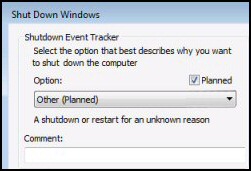 How to Shut Down Windows 8 There are three parts to this page. Quick instructions to find the Windows 8 Shut down button, creating a shutdown tile for the Metro-style UI, and learning the Shutdown switches. Windows 8 ‘Shutdown’ Topics Finding the Windows 8 Shut down Button How to Create a Windows …
 How to Find Windows 8’s Lost or Deleted Recycle Bin Don’t waste time worrying about HOW your bin icon disappeared; instead focus on recovering the recycle bin, complete with rubbish! Once we have found the deleted recycle bin, to prevent any more accidents, let us, see how we can resize …
 Features Removed from Windows 8 Here are elements that you won’t find in Windows 8; plus features that are still present despite rumours to the contrary. In recent years Microsoft’s ancient promise of backwards compatibility is more honoured in the breach than the observance. Features that You Lose Upgrading to …
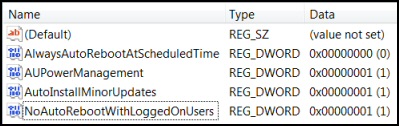 Overview of Microsoft’s Windows 8 Registry Here is a safe collection of tweaks that you can achieve with just a registry editor. Provided you stick to the detailed instructions, and don’t wander off changing settings that you don’t fully research, I cannot foresee any problems with your computer’s stability. Windows …