
Windows Metro UI
 Microsoft Windows Metro UI Windows 8 will have two user interfaces, the new Metro style and the classic desktop with it’s traditional icons and toolbars. Windows Metro User Interface The Touch Language of Windows 8 Metro UI Here Are the Seven Touch Actions Metro-Style Apps v Desktop Apps Windows 8 …
 Window 8 Group Policy Settings The keyword ‘group’ indicates we are dealing with a bunch of machines, and not the local policy of a home computer. While the keyword ‘settings’ means the policy is tattooing values in to the User Interface, rather than providing a preference that a user could …
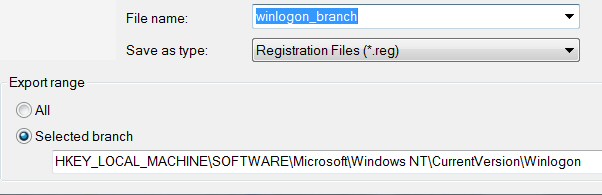
 Windows 8 Auto Logon Registry Hack There are times when in it’s a pain having to type a password in order to logon to your Windows 8 machine. AutoAdminLogon is idea for situations where you are operating in a secure environment, or where you are testing endless reboots and want …
 How to Get to the Windows 7 Style Start Menu If you don’t want the Windows 8 Metro User Interface, and instead prefer to the Windows 7 Start menu, then this is how you could once roll-back with the registry setting called RPEnabled. Note 1: This only works in the …
 Windows 8 Screenshots Here are a collection of screenshots to show-off the new Windows 8 features. Windows 8 Screens Windows 8 Logon Screen Windows 8 Start Screen New Windows Explorer Ribbon Windows 8 Task Manager Enable Hybrid Boot More New Features of Windows 8 ♦ Windows 8 Logon Screen Windows …
 Windows 8 God Mode God Mode is alive and well; it works in Windows 8 just as it did Vista. See how to create folders with magical properties. Windows 8 God Mode Topics What is Windows 8 God Mode? How to Create Your God Mode Folder More Settings in Windows …
 Windows 8 Remote Desktop Group Policies This example focuses on a Group Policy to control what happens when a user attempts to connect to a remote host. Topics for Windows 8 Remote Desktop Connection Remote Desktop Service Group Policies Control Whether the Host Gives Permission Windows 8 Remote Desktop Connection …
 PowerShell 3.0 in Windows 8 PowerShell is a wonderful command line equivalent of the Windows Explorer, taskmanager, or the DOS box. Instead of drilling down through countless GUI menus you can type a few Verb-Noun commands and get the job done quicker and with more precision. What’s new in PowerShell …