
Windows Server 2008 – New Features
 Microsoft’s Windows Server 2008 – New Features In a nutshell, Windows Server 2008 is a combination of improved W2K3 (Windows Server 2003) with a Vista front end. The change from W2K3 is not huge, but there is a relentless accumulation of small improvements. It is only when you go back …
 Windows Server 2008 – UAC (User Account Control) The mission of this page is to explain the purpose of Windows Server 2008’s ‘Continue’ pop-up dialog box. I will also show you how to disable this UAC (User Account Control) box. Whenever you need to configure a Windows Server 2008 setting, …
 Windows Server 2008 Shutdown Command LineSwitches Shutdown is a useful built-in command line program found in Windows Server 2008 and client operating systems such as Windows 7. Administrators love experimenting with this utility because it has such a dramatic effect – it can down or reboot a server. Windows Server …
 Disable Shutdown Tracker on Windows Server 2008 By design, whenever you shutdown or reboot a Windows Server 2008, an Event Tracker dialog box appears. Many techies get annoyed with having to give a reason for every reboot. Their irritation is compounded because after they click restart they cannot just click …
 Windows Server 2008 – Group Policy Preferences Group Policy Preferences are one of the top 10 new features in Windows Server 2008. Whereas regular Group Policies ‘Tattoo’ settings, Preferences merely pencil an outline, which the users can then erase and replace with their own choices. Benefits of Preferences Rather Than …
 Windows Server 2008 – Virtualization (Hyper-V) Virtualization (WSv) brings literally a whole new world to Windows Server 2008. WSv or Hyper-V has its own terminology, personality and requirements. Configurations range from a single parent with two child virtual servers, all the way up to 8-way clustering and dynamic IT. Incidentally, …
 Windows Server 2008 – Virtual Folders Virtual folders will be useful on a Windows Server 2008 server. Microsoft’s idea is that you can create groups of files which match your queries. The key point is that underlying files don’t have to be in the same physical folder. Another way of …
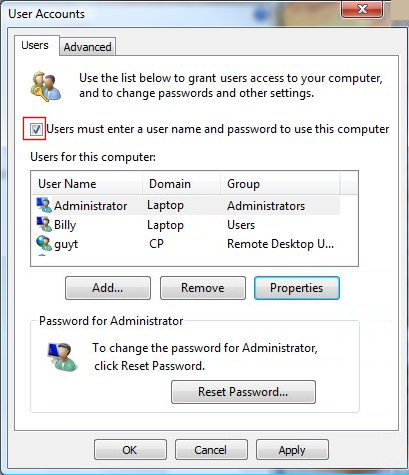 How to Activate the Local Administrator – Active:Yes Windows Server 2008 has a hidden administrator account. This super-user account is only of use on a member server where you normally logon to the domain, but now need to logon to the local ‘SAM’ database. The method toactivate the administrator is …