
Microsoft Windows 7 Tips
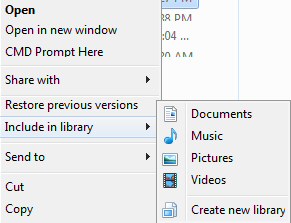 List of Windows 7 Tips Add The Run Command to Start Menu Adjust the UAC Pin to Taskbar Customize Notification Icons Configure Your Library Index and Search ♦ Add The Run Command to Start Menu Right-click the Start Orb. Select Properties. Find the Customize button. Scroll down to ‘Run command’. …
 Windows 7 Registry – RegisteredOwner and RegisteredOrganization When you buy a machine with Windows 7 pre-installed, sometimes OEM’s leave their name in your copy of Windows 7. A little research reveals that such names are stored in registry values called: RegisteredOwner and RegisteredOrganization. Here is a registry hack to edit …
 Microsoft Windows 7 Taskbar Compared to Vista, the Windows 7 Taskbar brings a different look and feel to handling programs. It also introduces a new way of working; some say it’s better and quicker, other like ‘Mad’ Mike say it’s more restrictive, and prefer the taskbar in Vista. Microsoft Windows …
 Microsoft Windiff Compare Folders and Files The words Windows and Difference lead us to the concept of to comparing files and highlighting and disparity. The benefit of Windiff comes from scenarios where you want to compare files, folders or registry settings. To get a copy of Microsoft’s Windiff, either extract …
 Break the Last Taboo – Go for an Upgrade from Vista to Windows 7 Break the Last Techie Taboo – Go for an Upgrade from Vista Lessons from Previous Windows Installs Your New Best Friend – The Windows 7 Upgrade Advisor Aftercare Once Windows 7 Arrives In-place Upgrade to Windows …
 Windows 7 Auto Login with AutoAdminLogon The idea behind the Windows 7 Auto Login is that a user(name) can logon at a computer without having to type their password. A typical scenario would be a test machine on a private network. With Auto Login enabled, when you restart the machine …
 How to Change The Computer Icon on a Windows 7 Desktop The idea behind this registry tweak of LocalizedString is to change the label under the computer icon, which you see on the Windows 7 desktop. As a result the name reflects the true username and computername. For example, Guy …