
Windows 7 Reliability Monitor
 Windows 7 Reliability Monitor As its name suggests, here is where you look to get details about programs not responding, or hardware that’s failing, in fact anything that affects the system’s reliability. One of the best features of the Reliability Monitor is its ability to keep data for months, thus …
 Windows 7 AutoPlay Enable | Disable Settings The Windows 7 AutoPlay helps you to select which program plays your music, or displays your photos. Sometimes AutoPlay seems to have a mind of it’s own, you can regain the upper hand by enabling or disabling the settings in the Control Panel. …
 Windows 7 Brings Fun Back to Computing Vista can be hard work to keep running smoothly; whereas Windows 7 is proving to be a joy to use. My mission is to persuade you that whereas Vista led to an undercurrent of frustration, Windows 7 brings a pleasurable glow. I have …
 Microsoft Windows 7 New Features Review It’s worth reviewing the full list of new features in Windows 7 if only to give you fresh ideas. Guy bets that you will find at least one feature that you did not know existed, for example ‘Aero Shake’. In my case, reviewing Windows …
 Review of Microsoft Virtual PC 2007 SP1 Virtual PC 2007 is an intuitive program, which saves you the bother of buying new hardware. I find it particularly useful for testing new operating systems such as Windows 7. If you are a newbie trust me; this is an easy and rewarding …
 Windows 7 Group Policy – Gpedit.msc Microsoft introduced the idea of group policies way back in NT 4.0, moreover, each successive generation has added more settings so that in Windows 7 we have over 2,500 policies. As with previous operating systems you can inspect and control the settings with a …
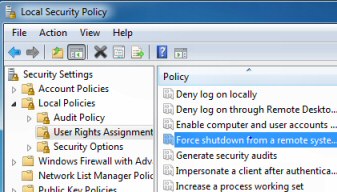 Windows 7 Secpol.msc Local Security Policy You can inspect and control the security settings with a snap-in called secpol.msc. Think of this built-in Windows utility as a sub-set of gpedit.msc. Windows 7 Secpol Group Policy Review Windows 7 Group Policy Strategy Launch Windows 7 Secpol.msc Problem Cannot Find the Windows …