
Windows Vista Start Menu Demonstration – Search
 Windows Vista – Start Menu Demonstration The idea behind this page is to show you the new Vista Start menu. In particular, how the graphic changes as you select Control Panel or Search. Click on Search in the graphic below, just as if it was a real Vista Start Menu. …
 Vista Upgrade Advice The purpose of this page is to guide you through the myriad of options for upgrading to Windows Vista. I shan’t be slavishly regurgitating Microsoft’s hype, but neither will I be joining the growing army of Microsoft bashers. I am getting more and more reports of problems …
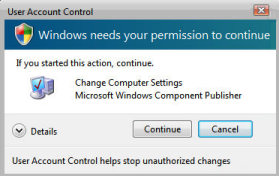 Vista – Disable the UAC (User Account Control) The purpose of this page is to explain how to disable the UAC, Vista’s nagging ‘Continue’ pop-up dialog box. For security, whenever you need to configure Vista settings, you need elevated privileges – even if you are logged on as the administrator. …
 Vista Registry Editor – AutoAdminLogon The idea behind AutoAdminLogon is that a user(name) can logon at a computer without having to type a password. A typical scenario would be a test machine on a private network. With AutoAdminLogon enabled, when you restart the machine it automatically logs on a named …
 Microsoft Windows Vista Sleep and Hibernate Why should Vista sleep or hibernate? Good reasons are, to save energy, for a quick start, and in my case, to keep the room cool in summer. What is the difference between Vista’s sleep and hibernate? Sleep awakens quicker than hibernate. Also sleep stores …