
Create a Windows 8 Metro-style Tile
 How to Make a New Tile for Your New User Interface As you may know, Microsoft’s Windows 8 features a new User Interface. What you see after you sign in is a matrix of tiles, many displaying information which updates as you scan the display. The purpose of this page …
 Windows 8 IPv6 Migration to IPv6 is very slow, but Windows 8 is ready and waiting for a move away from IPv4. Windows 8 IPv6 in 2013 Why Will We Need IPv6? Five Useful IPv6 Concepts IPv6 Maths – See the Big Picture Making Sense of the Hex Numbers ♦ …
 Live ID – Sign in With a Microsoft Account Windows 8 combines two existing technologies, logon and the Windows Live ID service, the result is a Microsoft account for users to 'Sign in' to their machine. If you have already used Microsoft's SkyDrive, or other internet storage, then you will …
 Microsoft Windows 8 Desktop Those with a mouse may prefer an alternative to Windows 8’s New UI, namely a Windows 7-like Desktop with a taskbar and Start menu. Windows 8 Desktop How to Switch to The Windows 8 Desktop How to Boot into the Windows 8 Desktop Windows 8 Desktop …
 Methods of Closing Windows 8 Metro Apps The purpose of this page is to show you a variety of ways of closing one of the new Windows 8 Apps. How to Close Apps Alt +F4 Closes Windows 8 Desktop Programs Touch Screen Swipe Control App Switching Close All Windows 8 …
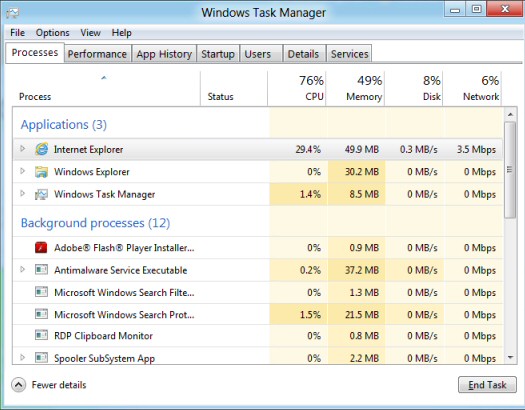 How to Set Process Priority Windows 8 Task Manager Most items in the Windows 8 Task Manager are easier to use, but setting Process Priority or Process Affinity requires one crucial click: More details. Windows 8 Set Process Priority Launch Windows 8 Task Manager How to Set Priority in Windows …
 Remove Shortcut Arrow Windows 8 If the shortcut arrows are irritating you, then have faith, there is a way to remove that little square overlay from all your programs’ shortcut icons. Registry Method to Remove a Windows 8 Shortcut Arrow Windows 8 .Reg File – Restore Shortcut Arrow Windows 8 …
 Windows 8 Event Viewer Security Log This page combines three skills, finding events in the Security Log, learning PowerShell and understanding logon events. Windows 8 Security Log Topics Finding the Windows 8 Security Log List the Last 10 Security Events with PowerShell Filtering Events within Event Viewer Filtering Windows Security …
 Review of Windows 8 Apps Store Here is Microsoft’s catalog portal for displaying all those lovely gadgets, utilities, tools and gismos that clever developers have created especially for Windows 8. Think of this as ‘Store’ rather than App Store. What is the Windows 8 Store Apps? Where Do You Find …