
Windows 8 .Reg File Examples
 Create Windows 8 .Reg Files While I am happy to show you examples of .reg files for Windows 8, I greatest home is that you will modify my files and thus learn how to create your own .reg files. I have included tips and techniques to help you can create …
 Windows 8 Public Beta Following the Developer Preview, which expires on March 12 2012, we have the Windows 8 Consumer Preview, which was released on February 29th 2012. Changes from the Developer to Consumer Preview Version The Start screen that you see once Windows 8 boots has had a make-over, …
 Remote Server Administration Tools for Windows 8 Installing RSAT enables administrators to manage Windows Server 2012 from their Windows 8 workstation. Windows 8 RSAT Topics Benefits of Installing RSAT Installing RSAT Launching the Administrative Tools Getting Started with Windows 8 RSAT Windows 8 DaRT Recovery Tools Windows Server 2012 RDC …
 Microsoft Windows 8 Tablets The tablet market is currently dominated by iPad and Android devices, it’s going to be hard for Microsoft to convince purchasers it’s a valid alternative. While we are still waiting for the killer Windows 8 app for a tablet, I have to say that Microsoft’s history …
 Windows 8 SkipRearm SkipRearm is a genuine technique to extend your Windows 8 activation period. Microsoft supply the registry value, and publish TechNet articles explaining how it works. Topics for Windows 8 SkipRearm The Concepts Behind Windows 8 SkipRearm Understanding Windows 8 SkipRearm = 0 Registry Instructions for SkipRearm Sample …
 Windows 8 New Explorer Ribbon While the Windows 8 ribbon brings radical changes to explorer.exe, it has clearly evolved from the Office Ribbon. Observe how the new Windows 8 Explorer focuses on three tabs at the top: Home, Share, and View. On the left side is the File menu to provide …
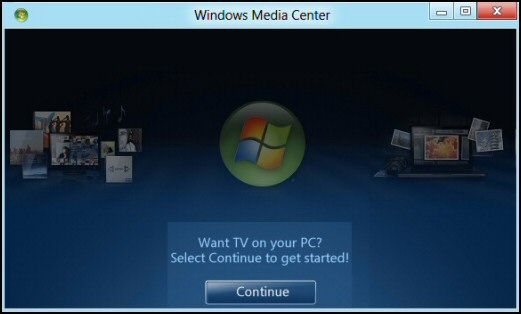 Windows 8 Media Center As promised, Microsoft has included a new built-in Windows Media Center in Windows 8. In the Preview versions it's free, but eventually you will have to purchase it as a pack (circa $13). Windows 8 Media Center Topics What’s In a Name? How to Launch Your …
 Edit Windows 8 BCD (Boot Configuration Data) Starting with Vista, BCD replaces the settings in boot.ini. BCD is a wonderfully descriptive acronym for Boot Configuration Data, more importantly, it gives you control of what should happen when your Windows 8 computer starts. This page explains the boot data and how, …
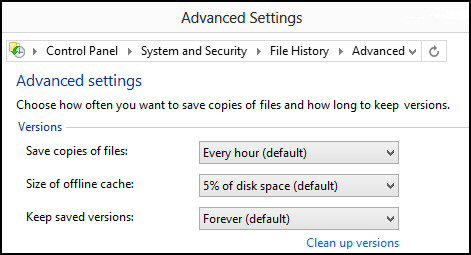 Windows 8 File History The benefit of this new Windows 8 feature is that it can recover deleted files. Once you setup this file caching mechanism, look in the Windows File Manager for History' – complete with a green down arrow. Windows 8 File History Topics File History Create a …