
PowerShell Add-Content
 PowerShell Script Files – Add-Content Cmdlet Few built-in cmdlets express their purpose as clearly as Add-Content. In fact the only danger with this command is ‘over-think’, just remember that PowerShell takes care of opening and closing files automatically. Consequently, there is no need to waste time looking for non-existent file-open, …
 PowerShell Array @("value1", "value2") Arrays strings are designed to store text data. On this page I want exploit this capability by examining the use of $Variables with PowerShell’s parameters. Store Computer Names in an Array Array For a Parameter With Multiple Values The Array in a PowerShell Loop The Array’s …
 PowerShell ConvertFrom-CSV The purpose of this page is two-fold, to give working examples of ConvertFrom-CSV and to revive interest in the operating system’s built-in ‘WhoAmI’ command. Topics for PowerShell’s ConvertFrom-CSV Introduction to ConvertFrom-CSV Example 1: Simple ConvertFrom-Csv Example 2: To Display the Groups Unearthed by WhoAmI Example 3: Display User …
 Creating PowerShell v 3.0 Logon Scripts I love logon scripts. It saddens me that Group Policies are replacing logon scripts as a method of providing access to ‘Shares’ and network printers. My point: while I am delighted to help you with PowerShell 3.0 logon scripts, really, you should at least …
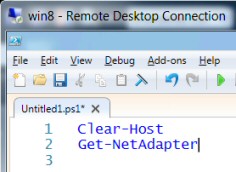 How to Enable a Network Adapter with PowerShell 3.0 With PowerShell 3.0 it’s straightforward to enable a NIC (Network Interface Card), just use a built-in CIM cmdlet called Enable-NetAdapter. Tutorial to Enable (or Disable) a NIC Scenarios for Enabling a Network Adapter How to Enable a Named Network Card How …
 Introduction to Scripting Active Directory with PowerShell What makes scripting Active Directory tricky is that we need so many different skills. However, if you are a beginner don’t worry, very little knowledge is assumed. If you are experienced with PowerShell’s commands you may prefer to jump straight to Example 4. …