
PowerShell -Filter Command or Parameter
 PowerShell -Filter Parameter Information overload? The ideal method when PowerShell delivers too much data is to append -Filter. Incidentally, newbies refer to PowerShell's -Filter as a command rather than a parameter. Topics for PowerShell's -Filter Parameter Example 1a: Filter for Executables Example 2a: Compare PowerShell -Filter with Where-Object Example 3: …
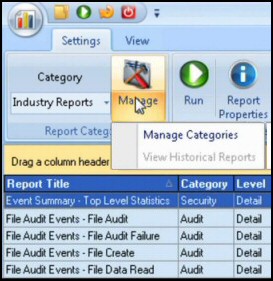 Windows PowerShell Trace Command On this page I will describe how to employ PowerShell's built-in cmdlet to debug problems. Trace-Command cmdlet initiates a record of how PowerShell attempts to execute the specified expression. PowerShell Trace-Command Topics Investigate Components to Trace Example 1: Trace-Command Filesystem Sample Output of Trace-Command Example 2: …
 PowerShell’s New-Object -Com Creates a Shortcut The purpose of this page is to explain how to create a shortcut on your desktop. The method we will be using is, New-Object -ComObject WScript.Shell. Topics for PowerShell Creates Desktop Shortcut PowerShell’s New-Object -Com Create the Object (WScript.Shell) Create a Functioning Shortcut on …
 Introduction to Key PowerShell Commands Here are three simple, yet key commands, which are designed to get you started with PowerShell. As you study, my example scripts keep in mind the golden rule, Verb-Noun, for example, Get-PSProvider. Three Key PowerShell Commands or Cmdlets Get-Command Get-Help Get-Member Also: Show-Command (PowerShell 3.0) …
 PowerShell Scripting – Exchange 2007 Verbs The best thing you can do to script Exchange 2007 with PowerShell is to get the QAD snap-In. This is a useful list of the main verbs for manipulating Exchange 2007 via Microsoft’s new command shell. Look out for pairs e.g. Enable with Disable, …
 Windows PowerShell Cmdlets (Built-In) On this page I define the word cmdlet to mean a built-in PowerShell command, with a single Verb-Noun pair. There is another shade of meaning to cmdlet, namely a series of commands, usually more than one line, stored in a text file with a .ps1 extension. …