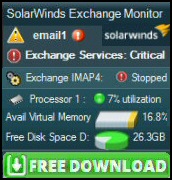
Here is a
free tool
to monitor your Exchange Server.
Download and install the utility, then inspect your mail queues, monitor the
Exchange server's memory, confirm there is enough disk space and check the CPU
utilization.
As you may know, Exchange 2007 is
now Microsoft's flagship mail server.
My goal for this section is to give you advice on how to: Configure, Migrate and Troubleshoot Exchange 2003. This page is my sitemap for 4 sub-sections:
The Engineer's Toolset v10 provides a comprehensive console of utilities
for troubleshooting computer problems. Guy says it helps me
monitor what's occurring on the network, and the tools teach me more about how the system
itself operates.
There are so many good gadgets, it's like having free rein of a
sweetshop. Thankfully the utilities are displayed logically: monitoring, discovery, diagnostic, and Cisco tools.
Download your copy of the Engineer's Toolset v 10
Exchange 2003 Changes
Most of the big changes in directory services came between Windows Exchange 5.5 and Exchange
2000. Nevertheless, there are lots, and I emphasise lots, of neat improvements
in Exchange 2003 that were missing in Exchange 2000. For example, RPC over HTTP, ExDeploy, ExMerge and
Query Based Distribution Groups.
Exchange 2003 is a 0.5 upgrade over Exchange 2000 (Exchange Version 6.0 --> version 6.5). My guess is that those who have not yet migrated from Exchange 5.5, will now go straight to Exchange
2007 (rather than Exchange 2000 or even 2003).
My mission, is two fold, getting you started with Windows Exchange 2003 server and to supply you with tips to troubleshoot your configuration problems. Here are are a selection of features new in Exchange 2003
Learn how to find settings in the Exchange System Manager. Advice configuring your Exchange Server. Tips on how to get the most from your Exchange 2003 server.
Over 50 printer friendly pages Word and PDF format
*
Guy
Recommends: Orion's NPM - Network Performance Monitor
Orion's performance monitor is designed for detecting network outages.
NPM makes it easy to see what's working, and what needs your attention.
This utility guides you through creating network maps. It also helps
troubleshooting by indicating whether the
root cause is faulty equipment, or resource overload.